

🚀 Understanding History Recall
The Smart, Visual Way.
A personal Wayback Machine crafted for power users, researchers, and creators who want to revisit every page they've ever browsed — visually, instantly, and privately. Made for memory, designed for clarity.
✅ Feature Highlights
🥇 Why We're Better Than Every Other History Tool
Most browser history tools are:
- ❌Just text-only lists of URLs with no visual context
- ❌Limited to whatever your browser keeps for a few weeks
- ❌Cloud-synced to corporate servers without consent
- ❌Don't differentiate between meaningful and trivial visits
- ❌Bloated with trackers, ads, or telemetry
- ❌Impossible to export, search, or filter intelligently
🔐 How We Protect Your Browsing Data
- 👁️All Snapshots Stay Local: Images and metadata live only in your browser sandbox.
- 🧠No Telemetry: Zero analytics, zero tracking pixels, zero phone-home requests.
- 🧩Domain Blocklist: Add sensitive sites (banking, email, work) to never be captured.
- 🎛️Private Time Mode: One-click pause to stop capturing entirely.
- 🚫No Third-Party Sharing: Your history is never sold, indexed, or transmitted.
💼 Why You Need This
- ✓Find that page you visited last week but can't remember the URL
- ✓Visually scan months of browsing instead of squinting at text URLs
- ✓Export your research history to back up or share with collaborators
- ✓Stay private — sensitive sites never get captured
- ✓Discover patterns in your own browsing with auto-categorization
🔍 Features With Descriptions
Automatic Snapshot Capture
Saves a visual snapshot of every fully loaded page so you can re-find it visually later, not just by URL.
Intelligent Change Detection
Avoids saving duplicate snapshots of the same page — only captures meaningful new content.
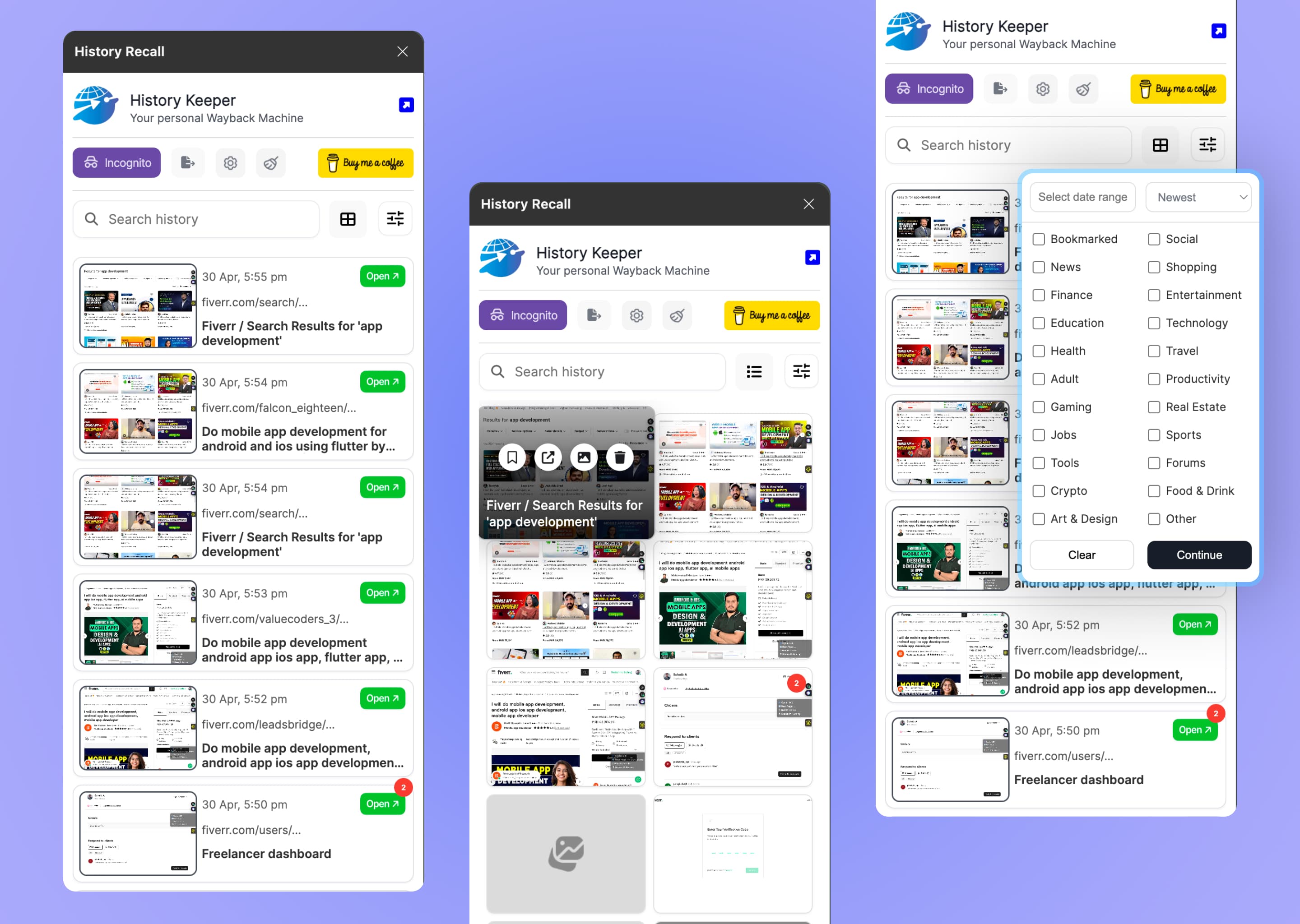
Side Panel Visual Timeline
Browse your entire history in a visual feed with thumbnails, titles, descriptions, and favicons.
Smart Storage Caps
Choose 100MB, 200MB, 400MB, or 800MB limits — old snapshots auto-rotate to stay within budget.
Auto Category Classification
Tags every site (Social, News, Finance, Shopping, etc.) so you can filter by topic instantly.
Adjustable Compression
Slide between higher quality and smaller file size — preview before/after directly in the UI.
Export to JSON / ZIP
Take your entire history with you. Filter by category or date range before exporting.
Domain Blocklist
Add any domain you don't want captured — banking, email, work portals, anything sensitive.
Private Time Toggle
Instantly pause capture for browsing sessions you don't want recorded.
Local-First Storage
- •Ensures complete privacy — nothing transmits to external servers
- •Keeps recall instant since no network round-trips are needed
- •Even the developer of this extension cannot see what you browse
Smart Retention
- •Storage stays bounded and never balloons unexpectedly
- •Old, irrelevant pages naturally drop off without manual cleanup
- •Stays fast and responsive over months of use
Private Time & Blocklist
- •Sensitive domains are skipped automatically every visit
- •Pause capture entirely with one click before private browsing
- •Stay in full control of what gets remembered
🎹 Hotkeys
🧩 Look back smarter, not just longer — your visual browsing memory, fully under your control.
© 2026 TomorrowByte. All rights reserved.